Microsoft, even if the end of its extended support for Windows XP in April 8, 2014, the hardware side and the software of each third party's right not a few even if you have continued exceptional support for XP.
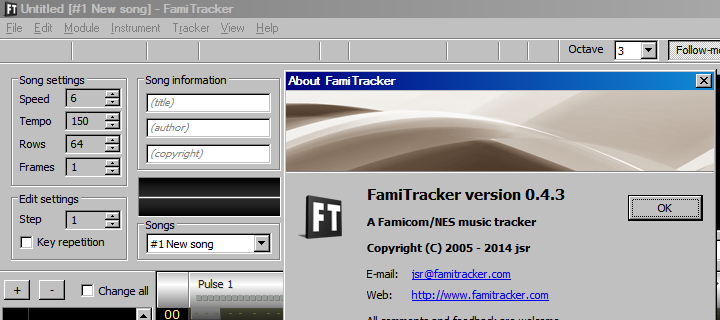
The FamiTracker v0.4.3 at the present time, it is not fully supported OS of 9x systems, such as Windows 98. (Longer, to not start)
_______________________
And is now aiming for the completion of all of the DPCM instruments.
I think it was very apropos, given that we were discussing XP support for this very application, and not XP support as a general idea. It stopped being appropriate when jsr said what he said, which wasn't that many posts ago.
I just unpacked FamiTracker v0.4.3 and -- where have all the toolbar icons gone? New/Open/Save, Cut/Copy/Paste, etc.; the actual buttons are present, just their icons seem to be missing (see attached).
This does not affect buttons with text labels, only buttons with images.
I agree that this behavior is annoying. First value of release section should only be used once release command is used.
Regarding toms, try using Fixed arpeggios. That seems to work well. In general it is not useful to think of the mml strings as ADSR. It's better to think of 'em as Begin Loop Retrigger.
I don't think I understand your suggestion with SelectAll but double clicking your place in the pattern editor will select the channel and if you want all channels then CTRL+A. Though I agree a tripleclick there for all channels would be good.
I found something in 0.4.2 and believe it is a bug - can someone confirm if it applies to 0.4.3:
In the Instrument editor, if I define an arpeggio (pitch, hi-pitch, duty, etc.) with a release sequence (e.g. / 0 12 absolute arpeggio) and start hitting notes on the editor to test how it sounds, nothing happens unless I have also defined a volume curve with a release sequence (it can't be just any volume curve; it must include a release sequence).
What makes this perhaps-a-bug is that this only applies to the Instrument editor: if I write and release notes in the Pattern editor (e.g. C3 = C3 = ) using the above instrument, the song plays exactly as intended. But the Instrument editor only plays a release sequence if the volume curve includes one (regardless of whether said sequence actually ends with the volume at zero or not).
Additionally, if I'm playing notes in the Instrument Editor, if the note is still playing when I close the window (e.g. from a volume release sequence that does not end with zero) it should cut the note.
Oh, another quick one: in the View menu I have my Frame editor position set to "Left". Now if I toggle the Status bar on and off, the Frame editor (unlike the Pattern editor) does not resize to fit the new space (it may leave empty space below the horizontal scrollbar at the bottom, or cut that scrollbar off entirely). Resizing the window fixes it.
Xyz_39808 wrote:
Regarding toms, try using Fixed arpeggios.
I do not mind that the toms are relative to the note played - and I've used release arpeggios for more than just toms. E.g. if I want my bass track to have a (C2 C3 C2 C3) pattern I can either write the notes, ir I can define a / 0 12 arpeggio sequence and write (C2 = C2 =) simply because I can
Quote:
I don't think I understand your suggestion with SelectAll but double clicking your place in the pattern editor will select the channel and if you want all channels then CTRL+A. Though I agree a tripleclick there for all channels would be good.
Yeah, doesn't sound like it. Let me try again:
1 - Single click moves the cursor
2 - Doubleclick selects the whole channel*
3 - Tripleclick** selects all channels
* (a doubleclick just executes a Select All command, same as Ctrl+A)
** (tripleclick is processed as two consecutive doubleclicks)
However there is a catch: If there is a selection anywhere in the pattern editor (even if it contains only one note), Famitracker skips straight to #3 (select all channels). Say I've selected a few notes and shifted them by an octave. Now I want to select the whole channel for a copy/paste operation -- I cannot just doubleclick (or hit Ctrl+A) because FamiTracker will immediately select all channels, skipping the intermediate "select current channel only" step. I have to dismiss the selection first before I try to select the channel.
So the internal logic currently is as follows:
- If there is no selection, select the current channel from top to bottom
- Otherwise, select all channels (regardless of whether said selection is from the previous step or not)
But this logic would be better:
- First doubleclick: Check whether the selection occupies its entire channel(s) from left to right and top to bottom. If so, skip directly to step 3; otherwise (or if there is no selection at all), proceed with the below.
- Expand the current selection (if any) to fill its entire channel(s) from top to bottom and left to right. E.g. if the selection spans one channel it selects that channel only; if it spans two, it selects both channels.
- Second doubleclick: (because a whole channel is already selected) select all channels
Found in 0.4.2 (and 0.4.3): [EDIT - Okay, this one seems already reported.]
If I have my cursor positioned in the middle of a song (say, frame 05) and at row 00 of that frame, I'm in Follow mode and then I hit F5, the window doesn't repaint properly as the song starts playing: As the window scrolls upwards line by line, it retains remnants of the frame I was at instead of the one it's actually playing. And it only happens if I'm at row 00 of the current frame (any other row number, and when you hit F5 Famitracker repaints the entire window as it starts playing).
I attached a quick test file - position the cursor at row 00 of frames 01/03/05 then hit F5 and watch what you see.
Also: is it just me or does FamiTracker's UI (specifically, the row highlight) always seem a row out of sync with what's actually coming out from the speakers while you're playing a song? (Watch the test file real closely as it plays - when there's a "--" row highlighted I can clearly hear the current note still playing; it doesn't actually cut until after FamiTracker's incremented to the next row). I know this is quite harmless, but the UI and audio should be in sync with each other as best as possible.
(Sidenote - increasing the audio buffer size only makes the UI and speakers fall even more out of sync)
If we're talking about what happens around @0:22 in the video, I've seen this for awhile myself.
You can generate the same/similar glitch by moving the cursor to the top (row 00) of any frame in the middle of a song (frame ID > 0) and pressing F5 to start the song over from the beginning. (Note that this glitch does NOT occur if you're currently on any row other than 00.)
Famitracker plays the current row then moves the cursor on to the next one and waits however many ticks it needs to wait before playing that one. That's why sound always appears to be out of sync by one row.
Okay, I'm still using 0.4.2 due to the missing toolbar icons in 0.4.3, but I have both of them set up in separate directories and I have an issue: When I double click an FTM file from the Explorer, it opens in whichever version of Famitracker I last booted up. It's like FamiTracker checks/sets its file associations upon startup every time (like how every Internet browser checks whether it's the default or not), but without any ability for the user to control it. Basically, I want 0.4.2 persistently set as the one to open FTM files with, and I just use 0.4.3 on occasion to check bugs against before reporting.
jrlepage wrote:
Famitracker plays the current row then moves the cursor on to the next one and waits however many ticks it needs to wait before playing that one. That's why sound always appears to be out of sync by one row.
I realize that, but being out-of-sync is visually annoying. Is it fixable (e.g. play current row, then wait # ticks before incrementing to / playing the next row) ? As it stands it's workaround-able, if I want to record a FT video I can just time-shift the audio track slightly if I want it absolutely in sync....
Another bug:
If you mute a channel, FamiTracker ignores any instrument changes, volume, and/or effects that may have occured in that channel -- i.e. if you unmute that channel during playback, FamiTracker defaults to instrument 00, volume F until told otherwise. (This also happens if you hit F12 to cut all instruments while the song is playing.)
This can be a problem if you're like me and like to specify instrument numbers only when you're actually switching to a new instrument. (Which does have certain uses.) It goes double if (for whatever reason) you don't actually have an instrument 00 defined, or instrument 00 includes some creative/unusual parameters (in my case, a release arpeggio).
(I don't think this is a problem where e.g. NSF filesize is concerned, it just keeps the pattern editor looking cleaner.)
Another minor inconvenience:
- When Famitracker starts a new file, can it include a default instrument 00? That's literally the first step you have to do with every new file (create or import instrument definitions), otherwise Famitracker can't play any notes.
And another one I'm still researching:
- If I'm in the middle of playing a song and I double-click on an instrument, sometimes one of FamiTracker's channels (usually Triangle) goes completely silent (as if the channel has been muted). At this point, muting/unmuting the channel has no effect, switching to a new instrument has no effect, muting/unmuting the channel has no effect -- only stopping the song (F8 / F12) restores normal behavior.
Documentation for triplets could use some examples. E.g:
Quote:
Across four rows:
00 C .. . ...
01 C .. . G02
02 C .. . G04
03 . .. . ...
04 C .. . ...
Across 8 rows:
00 C .. . ...
01 . .. . ...
02 C .. . G04
03 . .. . ...
04 . .. . ...
05 C .. . G02
06 . .. . ...
07 . .. . ...
08 C .. . ...
On a tangent, I would kinda like some way of seeing what the # of frames per row is (because instrument definitions and certain effects which are measured in frames). E.g. with an engine speed of 60Hz and speed 6 (100%), tempo 150 = 6 per row, tempo 180 = 5 per row, (100 = 9 per row, etc. The exact number is (60 * engine speed) / (4 * tempo) * (6 / speed), a.k.a. (90 * engine speed) / (tempo * speed).
I also find it a little counterintuitive that the "Speed" setting is a divisor and not a multiplier. Maybe when the box is not being edited it can include a note expressing the speed in a % (e.g. "6 (100%)" or "3 (200%)" ) -- or it can be expressed in a tooltip maybe?
Some more:
Also (possibly finally), when I go to Module Properties and on the Songs panel I try to import another FTM file, I recently got the warning that "expansion chip must be the same as the current file". I understand the reasoning for this warning -- however I was trying to import a song created with no expansion chip. You should always be able to import a no-expansion-chip song into the current module.
When left at default tempo 150, Speed IS the value of frames per row.
If you are truly concerned about keeping track of the number of frames per row then you should always keep module tempo at 150 and only change the song tempo by using Speed or Fxx commands below F20
This is really an advanced topic though and should follow some heavy reading
When left at default tempo 150, Speed IS the value of frames per row. If you are truly concerned about keeping track of the number of frames per row then you should always keep module tempo at 150 and only change the song tempo by using Speed or Fxx commands below F20...
Only on NTSC though, on PAL a 150 tempo gets you five frames per row instead of six. Which is probably another reason why it's the default setting, but some songs do need different tempos. I have one song with a tempo of 160 (150 is too slow and 180 too fast) and it plays just fine to my ear. Besides, the Speed adjustment isn't meant for setting your song's overall tempo, it just provides the ability to adjust song speed at run time (like in Super Mario Bros. when the clock runs down to 100). And even then, it's not a true tempo scalar (things like Gxx/Sxx and volume envelopes do not scale with song speed), so it depends on the needs of the song.
As long as your tempo value is 2.5 times your refresh rate, the speed value will always be a representation of the number of frames per row.
(Side note: it should be noted that the views expressed by myself in that topic Xyz linked to have changed significantly since that thread was posted.)
So where does the 2.5x come from? I'm aware that NTSC engine speed is 900 per row and PAL engine speed is 750 per row, but....
Okay, here's a new question. Is there any way to see what the current effects status on a channel is?
I had one song I was playing where after it looped one of the instruments sounded funny ... turns out it was because I left the vibrato on. (Figuring out exactly where took longer.) So an option to examine a playing channel and see the status of persistent effects (arpeggio, portamento, volume fade, vibrato, tremolo, pitch, etc.) could be useful to have.
Perhaps someone more knowledgeable than me could explain the maths behind it, but in the meantime you'll just have to take my word for it. 60Hz - 150 bpm. 50Hz - 125 bpm. 80Hz - 200 bpm. etc.